


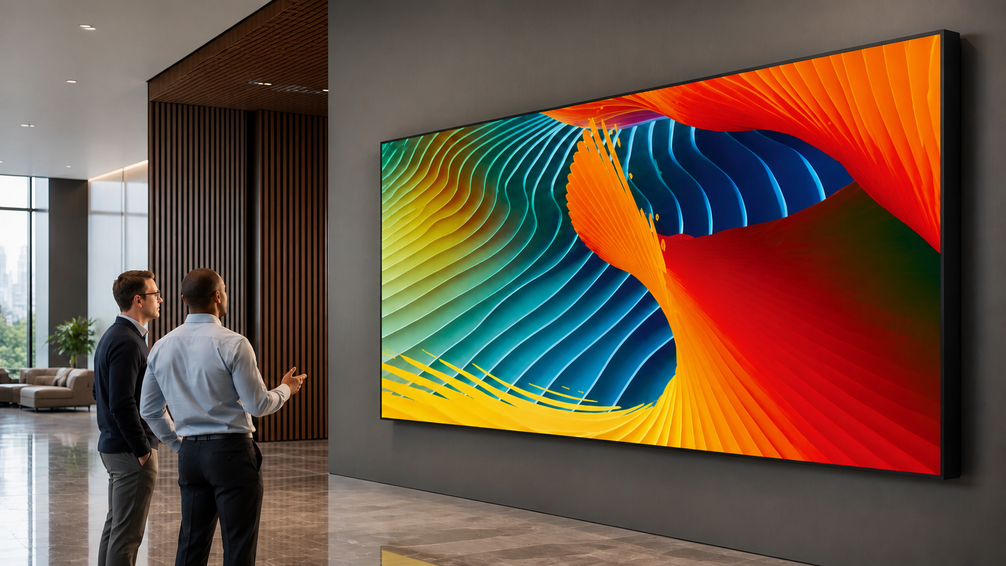
A video wall is the broader market term for a multi-display system that works as one large image. An LED wall is a direct-view LED video wall built from LED modules or cabinets, so the image is created on the display surface itself.
In real projects, we check viewing distance, ambient light, image size, camera use, cabinet layout, service access, and content workflow. A flat meeting-room display, a curved art gallery, a stage backdrop, an XR studio, a transit wall, and a window-facing retail screen require different display structures.
Video Wall vs LED Wall: Key Differences at a Glance
| Factor | LCD video wall | Direct-view LED wall |
|---|---|---|
| Core meaning | Tiled display panels arranged as one image | Modular LED cabinets or modules forming one display surface |
| Display technology | LCD cells control a backlight | RGB LED pixels emit the image directly |
| Seams | Bezel lines remain visible between panels | Cabinet joints can read as one continuous surface after alignment |
| Brightness | Suits controlled indoor light | Fits higher-brightness, window-facing, stage, and outdoor settings with the right cabinet |
| Viewing distance | Strong for close text when panel density matters | Chosen by pixel pitch, from fine close-view pitches to wider long-view pitches |
| Shape flexibility | Mostly flat rectangular layouts | Flat, curved, corner, cylindrical, wave, and other creative layouts |
| Typical upfront cost | Often lower for smaller standard indoor layouts | Often higher at fine pitch or for custom large-format layouts |
| Installation complexity | Easier for standard flat walls | Needs cabinet layout, power, signal, mounting, and calibration planning |
| Content processor and control | Works with standard video wall control | Needs LED processor, sending/receiving cards, mapping, and calibration |
| Maintenance | Panel-level replacement | Module, cabinet, power, or receiving-card level service |
| Typical use | Small monitoring rooms, meetings, indoor information screens | Lobbies, stages, retail, XR, transport, exhibitions, and large public displays |
Where a Traditional Video Wall Still Fits
Some rooms still fit LCD better. These projects prioritize close text, a fixed rectangular layout, and a simpler indoor budget. An LCD video wall or a single large LCD display can be a practical choice.
Close-Range Information Work
The main function here is continuous reading, not visual immersion. Operators need to scan labels, process data, maps, alarms, dashboards, and camera feeds from a close position for long periods. In control rooms and monitoring centers, an LCD video wall can still work well when the lighting is controlled and bezel lines do not interrupt daily operation.
If the same wall also needs to show one large map, a full-screen camera view, or visitor-facing content, we check whether the panel grid breaks the image. Fine-pitch LED becomes worth discussing only when close-view detail still matters and the seams start to affect real use.
Flat Rooms With Standard Content
In a flat room, the decision often starts with presentation format, screen size, and controlled lighting. The screen is used for slides, calls, spreadsheets, training content, and internal reviews, so a moderate screen size, flat wall, familiar aspect ratio, and controlled room light often matter more than a seamless visual surface.
Meeting rooms, training rooms, and boardrooms usually fall into this group. LED becomes more relevant when the same space also needs to work as a client-facing showcase, media room, or corporate experience zone. At that point, a 16:9 indoor LED wall can preserve the presentation format while removing the panel grid.
How to Choose Between a Video Wall and an LED Wall by Scenario
Use this table before comparing products. Measure the closest viewing distance, confirm the screen role, map the content source, and check service access, then match the display type to the scenario.
| Scenario | Better choice | Decision logic | Specs to confirm | Related product or solution |
|---|---|---|---|---|
| Close-range monitoring and static data | LCD video wall | Text density and seam tolerance drive the decision | Native resolution, panel size, bezel width, service access | LED vs LCD display guide |
| Small meeting or training room | LCD display or 16:9 indoor LED | Keep the presentation format stable before adding creative shape | Screen size, aspect ratio, mounting, front service | BIM MAX Series |
| Retail stores, hotels, and hospitality venues | LED wall | A large visual surface needs continuity, brightness, and clean cabinet alignment | Pixel pitch, brightness, contrast, curve, cabinet alignment | Retail and hospitality solution |
| Airport, station, or public information wall | LED wall | Passengers need readable information from moving angles | Brightness, IP rating, temperature tolerance, network control | Transportation solution |
| Stage, rental, and touring use | LED wall | Cabinets must rig, move, reconfigure, and stay camera-safe | Weight, locks, refresh rate, signal redundancy, service path | Pilot Pro Series |
| XR or virtual production | LED wall | Check the wall through the camera pipeline | Refresh rate, HFR, color accuracy, moire control, latency | AIE Virtual Production Studio |
| Corner, cylinder, wave, or wraparound shape | LED wall | Cabinet geometry decides whether the surface can be built cleanly | Arc length, bend angle, bevel, cabinet size, IP rating | E-Swan and E-Corner |
Corporate Lobbies and Exhibition Halls
For a flat information screen in a lobby, LCD is often enough. For a display that spans a wall, turns a corner, or follows the architecture, we use direct-view LED. We plan the screen around the main visitor routes so the image stays continuous across wide walls and curved sections.
In our Digital Art Gallery project in Gorizia, Italy, the curved interior and visitor path shaped the display layout. We supplied the LED system for a 925 sqm gallery space featuring Refik Anadol’s DATA TUNNEL, with curved LED surfaces and inner-curve transitions throughout the exhibition space.
Stage, Rental, and Live Events
For live events, the screen is part of the production plan. It has to be moved, rigged, tested, filmed, serviced, and sometimes rebuilt in a different layout for the next show. A standard flat video wall is rarely practical in this setting. Rental LED cabinets are easier to move and connect, and the details that seem small on paper, such as locks, handles, corner protection, power routing, and service access, can affect the real event schedule.
At GranCa Live Fest in Spain, we deployed a 220 sqm Pilot Pro main LED wall for an event attended by about 30,000 people over two nights. The setup used modular rigging for fast panel changes, redundant signal distribution, and camera testing for live broadcast.
XR and Virtual Production Studios
For XR and virtual production, use a direct-view LED for the background that appears on camera. LCD video walls leave bezel lines across the image, while LED cabinets form a continuous shooting background. LCD still fits off-camera monitoring screens used by the production team.
The LED wall also needs to render cleanly on camera. Pixel structure, flicker, scan lines, and color shifts can become visible through the camera even when the screen looks normal to the eye. Test the proposed LED wall with the planned camera distance, frame rate, and shooting setup before finalizing the display.
In our AIE Virtual Production Studio project in Australia, we used Pilot Pro LED displays across the wall, floor, and ceiling. The published project specifications list a 7680Hz refresh rate, 144Hz high-frame-rate support, and Delta E below 2 color accuracy for virtual production.
Transportation and Public Information Displays
Large public information walls in airports and train stations favor LED because one screen can stay continuous across a wide area and remain readable from several viewing directions. Smaller staff-facing monitoring displays can still use LCD where panel seams do not interfere with daily use.
For passenger information, screen size, viewing direction, ambient light, data updates, and operating hours define the display requirement. Our transportation solution supports schedule, delay, wayfinding, and emergency information through displays connected to content and data systems.
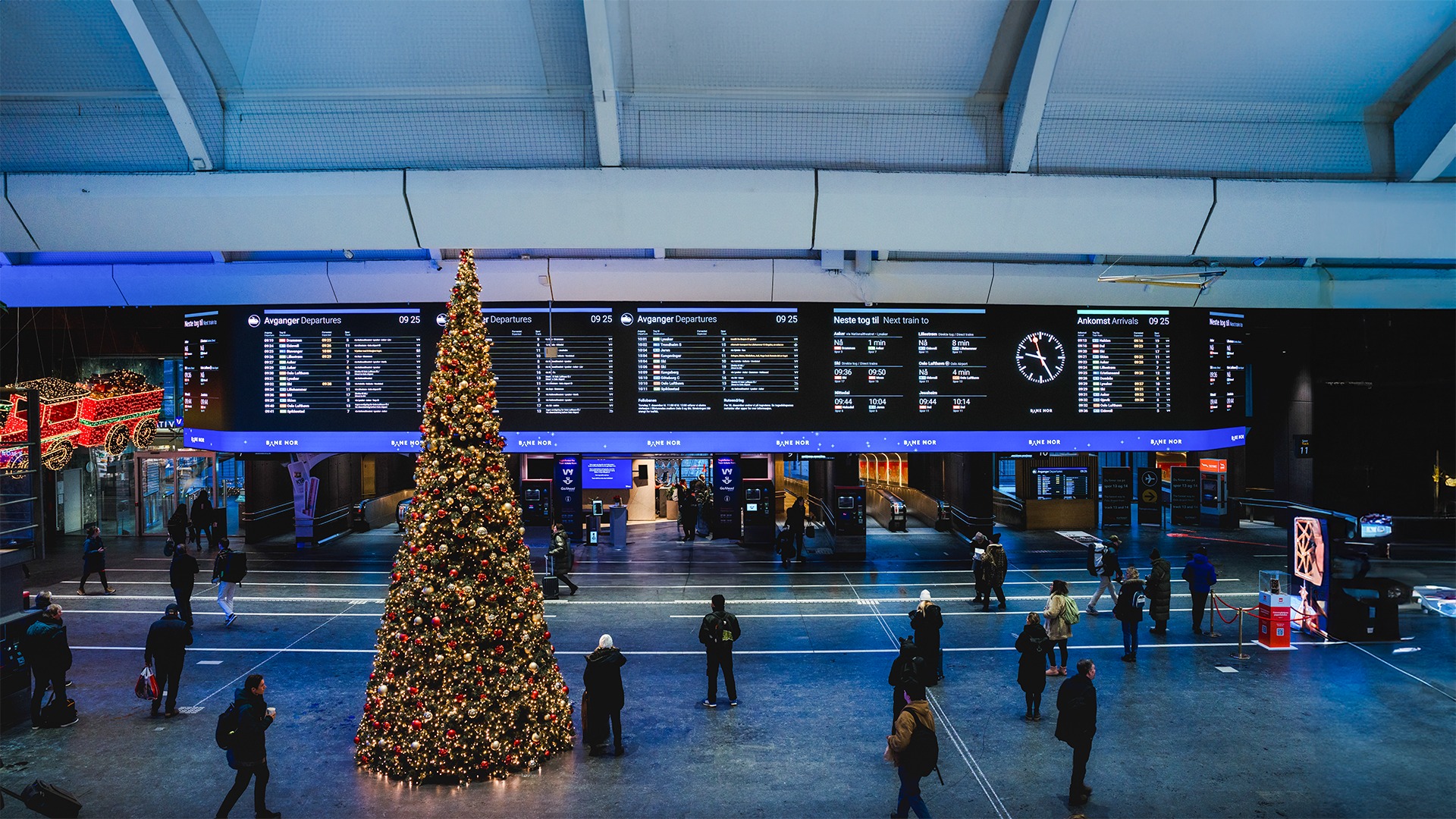
In the Oslo Central Station project, we worked with a business partner to deploy a 126 sqm BIM Plus-X LED information screen above the entrance. The screen uses curved corner splicing and two side wings so passengers approaching from different directions can read the information.
Key LED Wall Specifications to Check Before Buying
After the display type is decided, the product specification needs to match the actual screen layout and operating conditions.
Pixel pitch and viewing distance: Closer viewing requires a finer pixel pitch to keep text, graphics, and image details clear. Pilot Pro is available in P1.5, P1.9, P2.6, P2.9, and P3.9. BIM Plus-X covers P1.5, P1.9, P2.6, P3.1, P3.9, and P5.2, while E-Corner covers P1.9, P2.6, P3.9T, and P4.8T.
Cabinet size and shape: Match the cabinet format to the finished screen dimensions and required shape. BIM MAX follows a 16:9 format at 1024 x 576 x 42.5 mm. BIM Plus-X adds 1000 x 500, 750 x 500, and 250 x 500 mm formats, while E-Corner uses a 250 x 500 x 93 mm panel with a 250 mm arc length for compact 90 degree corners. E-Swan Indoor provides nine adjustment positions with bending up to 45 degrees per panel.
Brightness and protection: Indoor and exposed installations require different output and protection levels. BIM MAX operates at 700 to 900 nits with IP30 protection on both sides. E-Swan Indoor ranges from 900 to 1500 nits with IP20 protection. E-Corner EC1.9 and EC2.6 are rated at 900 nits and IP30, while EC3.9T and EC4.8T reach 4500 nits with IP65 protection.
Camera performance: For displays used in filming or broadcast, match the refresh rate, supported frame rate, and color performance to the planned camera system. Testing with the actual camera and shooting settings can reveal flicker, scan lines, or color differences before installation.
Service access: The mounting structure needs to leave a workable maintenance path. Pilot Pro allows both front and rear maintenance, while compatibility with E-Swan and E-Corner gives more flexibility when one installation combines standard and shaped sections.
FAQ
What project details affect the LED wall quote most?
The biggest inputs are screen width and height, closest viewing distance, indoor or outdoor conditions, ambient light, mounting method, service side, content source, camera use, operating hours, and any creative shape. These details let our technical team calculate pixel pitch, cabinet count, control method, power route, and spare-parts plan.
Does a smaller pixel pitch make every LED wall better?
No. Smaller pitch helps close viewing and detailed content. A wider pitch can make more sense when the audience stands farther away, the content is large-format video, or the budget should move toward brightness, rigging, service, or control.
Can an LED wall replace an LCD video wall in a control room?
Yes, when the room needs a seamless image or the panel grid interferes with large maps, dashboards, or camera feeds. LCD still works well for text-heavy monitoring where visible bezels are acceptable.
Which option is easier to maintain?
LCD service usually means replacing a complete panel. LED walls can be serviced by module, power supply, receiving card, or cabinet. The easier option depends mainly on whether the installation leaves enough front or rear access for maintenance.
What can we confirm after receiving those details?
Our technical team can recommend the pixel pitch, cabinet series and quantity, brightness range, control system, mounting approach, service side, and spare-parts scope. These selections can then be used to prepare the project configuration and formal quotation.
Conclusion
Choose LCD for smaller indoor spaces where close-range text, standard rectangular layouts, and budget are the main concerns. Choose direct-view LED for larger display areas, seamless images, stronger ambient light, camera use, or curved and custom-shaped installations.
For a project recommendation, send us your screen size, viewing distance, installation environment, and intended content or camera use. Contact our team to discuss the suitable LED series, pixel pitch, cabinet layout, and service method for your site.


