


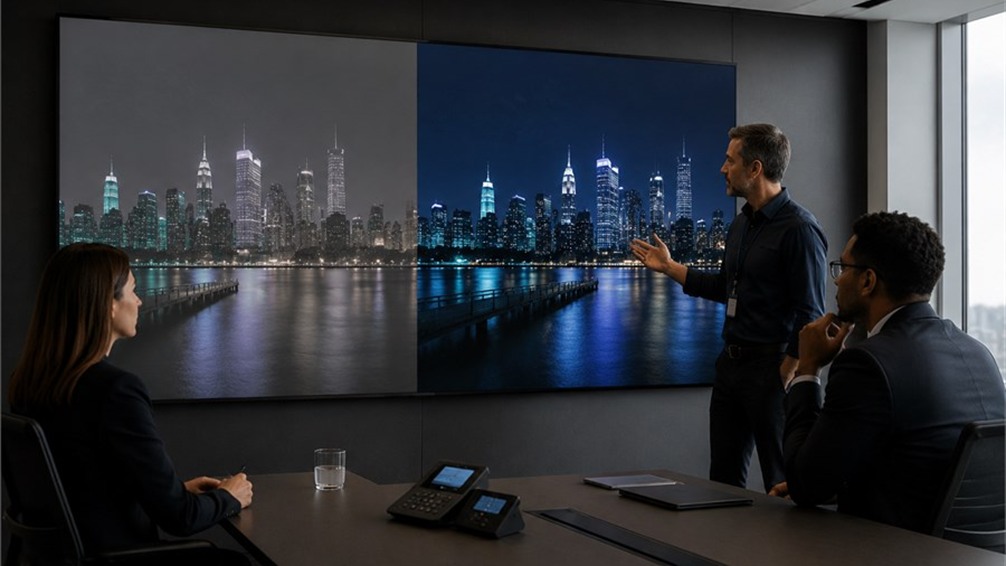
Display contrast ratio is the gap between the brightest white and the darkest black a screen can produce, written as a figure such as 5,000:1. On an LED display, a higher contrast ratio generally means deeper blacks, stronger separation between light and dark areas of an image, and text that holds up when the room lights are on. It is one of the most useful specifications for explaining why two LED displays with the same pixel pitch and brightness can look different in person.
We have been building LED displays at Esdlumen since 2007, and contrast is the figure we spend the most time explaining to buyers. Brightness is easy to compare on a datasheet, though contrast is often what viewers notice first in real installations.
How contrast ratio is calculated
The calculation itself is simple. Measure the luminance of a full white screen in cd/m² (nits), measure the luminance of a full black screen, then divide the first by the second. A panel at 1,000 nits white and 0.2 nits black gives 5,000:1.
Where display contrast gets messy is the test condition. There is no single figure every manufacturer is obliged to quote, and dark-room, sequential and checkerboard measurements can produce different results from the same panel. The AV industry has an accredited reference for this, ANSI/AVIXA V201.01:2021 on image system contrast ratio, which defines contrast across a whole system in its real environment and sets four levels tied to what the content is used for. If a supplier's figure looks unusually high, asking how it was measured is a fair question.
Why Contrast Ratio Matters for LED Displays
Contrast ratio has a direct impact on how clear and vivid an LED display looks. A high contrast ratio helps bright areas and dark areas appear clearly separated, so images look sharper and more lifelike. It also improves text readability, especially in commercial spaces where the screen may be viewed under strong lighting.
If the contrast ratio is low, dark areas can look grey instead of black. This makes the whole image appear flat or washed out, even when the display is bright enough.
Better Black Levels and Image Depth
Good black levels make images look deeper and more detailed. When an LED screen can show dark areas properly, shadows, colors, product details, and video scenes all look more natural. This is especially important for retail displays, stage backgrounds, control rooms, and indoor commercial LED screens.
For LED displays, black level is influenced by the module design. The LED lamp package, black mask, surface finish, and driver settings all affect how dark the screen can appear. That is why buyers should look at both the contrast ratio and the physical quality of the LED module.
Clearer Visibility in Different Environments
Ambient light can reduce the visible contrast of an LED display. When light from windows, ceiling lamps, or nearby reflective surfaces hits the screen, part of that light reflects back to the viewer. This makes black areas look brighter and lowers the contrast viewers actually see.
For example, a panel rated at 5,000:1 in a dark test room may look much lower in contrast under skylights, strong retail lighting, or direct sunlight. This is why the installation environment should be considered before choosing an LED display. A conference room with controlled lighting and a shopping mall atrium with large glass walls may need different brightness, surface treatment, and contrast specifications, even if both screens use the same pixel pitch.
For broader display viewing comfort guidance, ISO 9241-303 provides image-quality requirements for electronic visual displays.
Key Factors That Affect Display Contrast Ratio
Four things drive contrast on an LED screen: module and mask construction, surface treatment, ambient light, and the calibration and greyscale performance of the driver system.
LED module quality and black mask design
The area around each LED lamp has a strong influence on how dark the screen can appear. Black-package SMD LEDs, a matte black mask, and even ink coverage between pixels help reduce unwanted reflection, so black areas look deeper when the display is showing dark content. Consistent module production is also important, because even one slightly lighter module can stand out on a large LED video wall.
Driver performance and refresh rate count as well, particularly for camera work and close viewing. In our indoor range, the BIM Plus-X indoor fixed LED screen specifies a 3840Hz refresh rate and an 8000:1 contrast ratio, which makes it a stronger fit for indoor commercial projects where image depth and stability matter.
Surface Reflection and Ambient Light
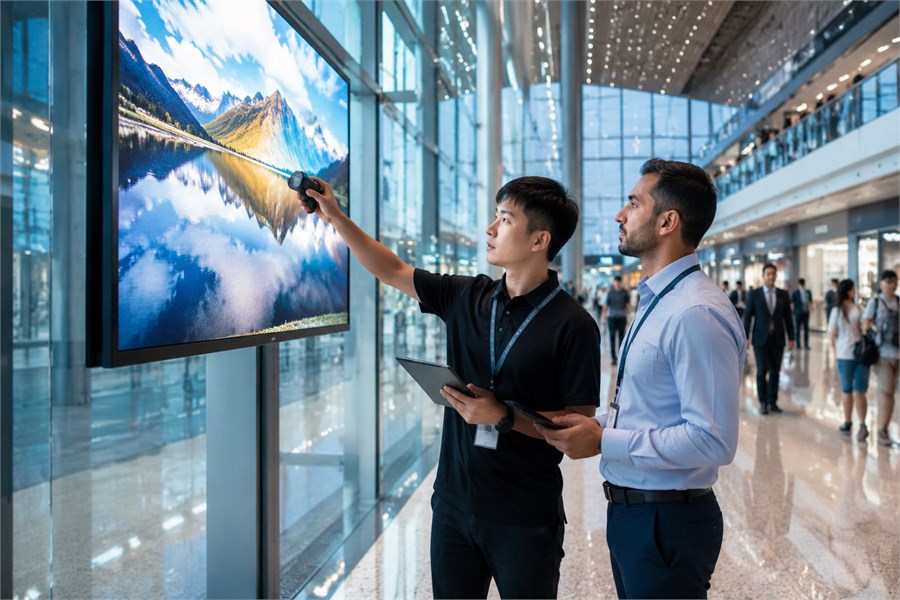
Surface reflection is one of the main reasons an LED display loses contrast in real use. If the mask surface is too glossy, it can reflect ceiling lights, windows, or sunlight back toward the audience. As a result, black areas look brighter and the image appears less clear, especially from common viewing angles.
In our project experience, three site conditions often cause contrast problems: direct sunlight hitting the screen through glass, downlights aimed at the LED wall, and light-colored floors reflecting light upward onto the panel.
What Is a Good Contrast Ratio for LED Displays?
A good contrast ratio depends on where the screen will be installed. Most current LED display products sit somewhere in the several-thousand-to-one range, and our own published specs give a concrete reference point. BIM Plus-X is listed at 8000:1, and Shine Pro is listed at 5000:1 to 6000:1 depending on the model. Other suppliers measure under their own conditions, so figures from different brands rarely compare cleanly.
Environment decides the rest. The table below sets out the brightness levels we usually work to in each type of space, along with how much weight contrast carries there. These are planning figures we use when scoping a project, so they are a starting point for discussion and not a published industry rule.
| Environment | Common project target, model-dependent | Contrast priority | What to watch |
|---|---|---|---|
| Meeting room, control room, studio | 600 to 800 nits | High | Shadow detail, uniformity across modules |
| Retail, lobby, airport | 800 to 3,000 nits | High | Reflection from lighting and glazing |
| Stage and event rental | 1,500 to 4,500 nits | Medium to high | On-camera performance, panel-to-panel matching |
| Outdoor advertising and facade | 4,000 to 6,000 nits and above | Medium | Sunlight readability, mask surface finish |
Always verify final brightness and contrast against the selected product datasheet, since values differ by pixel pitch and by LED type within the same series.
Indoor LED Display Contrast Ratio
Indoors, contrast is the spec worth paying for. Viewers sit close, content often includes dark video and fine text, and the lighting can usually be managed. Fine-pitch panels for corporate and broadcast use benefit the most, since shadow detail is visible at short viewing distances.
Our indoor commercial LED display models below are suitable options to compare when contrast ratio is a key buying factor.
| Esdlumen product | Suitable indoor use | Pixel pitch | LED type / surface tech | Contrast ratio |
|---|---|---|---|---|
| BIM Plus-X Series | Corporate lobbies, retail spaces, creative indoor video walls | P1.5 / P1.9 / P2.6 / P3.1 / P3.9 / P5.2 | SMD, HOB available | 8000:1 |
| BIM MAX Series | 16:9 indoor video walls, meeting rooms, control rooms, broadcast backdrops | P1.5 / P1.9 / P2.6 / P2.9 | SMD | 8000:1 for P1.5/P1.9; 6000:1 for P2.6/P2.9 |
| BIM MIN Series | Curved indoor displays, immersive retail, hospitality and lobby installations | P1.5 / P1.9 / P2.6 / P3.9 | SMD | 8000:1 for P1.5/P1.9; 6000:1 for P2.6/P3.9 |
| BIM Plus-T/TX Series | Indoor dual-sided commercial signage and hanging displays | P1.5 / P1.9 / P2.6 | COB for P1.5; SMD for P1.9/P2.6; HOB technology | Check the selected model datasheet |
For close-viewing indoor projects, BIM Plus-X, BIM MAX and BIM MIN are especially useful starting points because they list high contrast performance across fine-pitch options. For dual-sided commercial signage, BIM Plus-T/TX is also relevant, but the final contrast value should be confirmed against the exact model datasheet.
Outdoor LED display contrast ratio
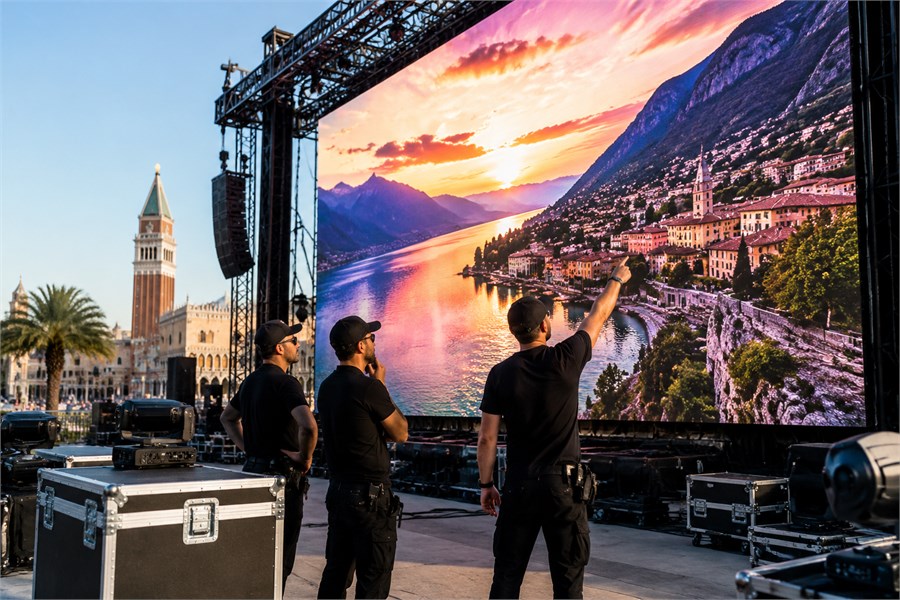
Outdoors, brightness matters more than contrast. Sunlight lifts the black level on any screen, so a high dark-room figure gives back very little during the day. What counts is enough brightness for daylight, a low-reflection mask, and automatic brightness adjustment so the screen is not harsh at night.
Our Shine Pro outdoor rental series lists 4,500 nits and 6000:1 at 2.9mm, and 5,000 nits and 5000:1 at 3.9mm. The two models do not rank the same way on both specs, so a tender asking for peak brightness and peak contrast together will usually need one of the two relaxed.
How to Improve Display Contrast Ratio
Contrast is improved in two places: the panel specification and the installation environment.
Choose High-Contrast LED Modules
When selecting an LED display, check the module design first. Black-package LEDs, a matte black mask, even surface treatment, and a stable driver system all help improve contrast. Also confirm how the contrast ratio was measured, since different test conditions can produce different figures.
For large LED video walls, module consistency matters. Even one cabinet with a lighter black level can affect the overall image. If possible, test a sample cabinet with dark content under lighting conditions close to the final installation site.
Optimise brightness and installation environment
Running a screen at full brightness in a dim room reduces perceived contrast and causes eye fatigue, so brightness should be tuned to the space. Beyond that, a few site decisions carry most of the weight.
- Aim architectural lighting away from the screen face and avoid washing the wall the display sits on.
- Add blinds, film or a recessed position where daylight hits the panel directly.
- Keep surrounding finishes darker and less reflective near the screen.
- Calibrate after installation, with the room lighting set the way it will actually be used.
How to Choose the Right LED Display Based on Contrast Ratio
Choose by environment first, content second, and contrast ratio last. This avoids paying for a high contrast figure that the actual site conditions may reduce.
Start with the space. Daylight, window position, indoor lighting, and operating hours all affect visible contrast. A bright lobby and a controlled meeting room may need different LED display specifications, even with the same pixel pitch.
Next, consider the content. Dark video, broadcast footage, and detailed product visuals need stronger black levels. Bright graphics, menu boards, and simple signage usually place less demand on contrast.
Then compare the quoted numbers. Make sure suppliers measured contrast under similar conditions. Also check viewing distance, because close viewers are more likely to notice uneven black levels between modules.
For event and touring work, our FAQ guide to rental LED displays covers how these decisions play out under show conditions. If sizing is already underway, the Esdlumen LED wall calculator gives screen size, resolution, power and panel count before anything is locked in.
Key Takeaway
Display contrast ratio is a reliable indicator of how good an LED display will look, provided the figure is read alongside the environment it will work in. Indoors, prioritise black level and image depth. Outdoors, prioritise brightness and a low-reflection surface. In both cases, treat a dark-room figure as the start of a conversation and not as a verdict.
Our engineering team reviews contrast requirements as part of every project quotation, including reflection risk on site. Send the room details and the content type through our project consultation page and we will come back with a specification that suits the space.
FAQ
Is a higher contrast ratio always better?
Higher is generally better, though the benefit shrinks as ambient light rises. In a bright outdoor setting, reflection sets the effective black level, so a very high dark-room rating delivers less than it would in a controlled indoor room.
What is the difference between static and dynamic contrast ratio?
Static contrast ratio compares white and black luminance under fixed display settings. ANSI contrast uses simultaneous white-and-black test patterns, while dynamic contrast ratio allows output to change between scenes, which produces a larger headline number that is harder to compare across brands.
Is LED display contrast measured the same way as monitor contrast ratio?
The formula is the same, though the conditions usually differ. A monitor contrast ratio is quoted for a single sealed panel at a fixed brightness, while an LED wall is assembled from many cabinets and installed in an open room, so measured system performance depends on the site as well as the product.
Does pixel pitch affect contrast ratio?
Pitch does not set contrast directly, though it influences it. Tighter pitches pack more lamps into the same area, which leaves less black mask surface, so fine-pitch products rely on careful lamp packaging and mask treatment to hold black level.
Can contrast ratio be improved after installation?
Partly. Recalibration, brightness tuning and changes to room lighting all help. The physical limit is set by the module construction, so a panel with a weak black level cannot be corrected fully in software.
Why do two displays with the same rated contrast look different?
Usually because the measurement conditions differed, or because greyscale performance differs at low brightness. Consistency across modules also plays a part, since uneven blacks are noticeable even when the average figure is strong.


