


Pixel pitch is the center-to-center distance between neighboring pixels on an LED display, measured in millimeters. A P1.5 display has a nominal pixel spacing of 1.5 mm, while P2.6 and P3.9 have wider spacing of 2.6 mm and 3.9 mm. Smaller pixel pitches place more pixels within the same display area, allowing finer image details to remain visible at closer viewing distances.
At Esdlumen, our BIM Plus-X indoor LED display series offers six pixel pitch options from P1.5 to P5.2. This gives us a range of pixel densities for different viewing requirements, from close-view information displays to larger commercial video walls.
How Does Pixel Pitch Affect Viewing Distance?
Smaller pixel pitches generally allow viewers to stand closer to an LED display without noticing individual pixels, while larger pitches typically require a greater viewing distance for a similarly smooth image. As pixel spacing increases, viewers need to move farther back before the pixel structure becomes less noticeable.
For example, at three meters, a P1.5 LED wall typically appears more continuous than a P3.9 wall, particularly along thin lines and detailed image edges. On the P3.9 display, individual pixels may still be visible at that distance. As the viewing distance increases, the difference becomes less apparent.
LED Pixel Pitch Viewing Distance Chart and Calculation
Two industry reference methods can help estimate LED viewing distance. Average Comfortable Viewing Distance (ACVD) provides an experience-based comfort estimate. Visual Acuity Distance (VAD) estimates when viewers with 20/20 vision can no longer distinguish individual pixels. Planar provides reference values for both methods.
The calculations use pixel pitch in millimeters and give viewing distance in meters:
ACVD ≈ Pixel Pitch × 1.719
VAD ≈ Pixel Pitch × 3.438
For a P2.6 display, these methods give approximately 4.47 meters for ACVD and 8.94 meters for VAD.
The table below applies these calculations to the six pixel pitch options in our BIM Plus-X indoor LED display series.
| BIM Plus-X Pixel Pitch | ACVD | VAD |
|---|---|---|
| P1.5 | 2.58 m | 5.16 m |
| P1.9 | 3.27 m | 6.53 m |
| P2.6 | 4.47 m | 8.94 m |
| P3.1 | 5.33 m | 10.66 m |
| P3.9 | 6.70 m | 13.41 m |
| P5.2 | 8.94 m | 17.88 m |
Distances are calculated using Planar-based reference methods and nominal pixel pitch values. These are general estimates, not product-specific measurements.
For an indoor LED wall viewed from four meters away, our BIM Plus-X P1.9 is a good option for fine text and detailed graphics. Planar's ACVD method gives it an estimated comfortable viewing distance of 3.27 meters, compared with 4.47 meters for P2.6. Both pitches are available in our BIM Plus-X series, allowing us to match P1.9 to detailed content and P2.6 to larger images and video.
Our BIM Plus-X product guide also uses a simple estimate of about one meter of viewing distance per millimeter of pixel pitch. Planar's ACVD and VAD methods provide additional reference points for comparing the same product options.
How Much Resolution Do You Gain with a Smaller Pixel Pitch?
On the same 4.0 × 2.5-meter LED wall, switching from our BIM Plus-X P2.6 to P1.9 increases the native resolution from 1,536 × 960 to 2,048 × 1,280. That means 1.15 million additional pixels, or approximately 77.8% more total pixels, without increasing the screen size. Both configurations use the same 4 × 5 cabinet arrangement.
The extra resolution becomes useful when several information panels need to share one screen. Two panels, each 960 pixels wide, require 1,920 horizontal pixels to appear side by side at their original width. Our BIM Plus-X P1.9 provides 2,048 horizontal pixels, enough for both panels. P2.6 provides 1,536, so the layout would need smaller panels or a different arrangement.
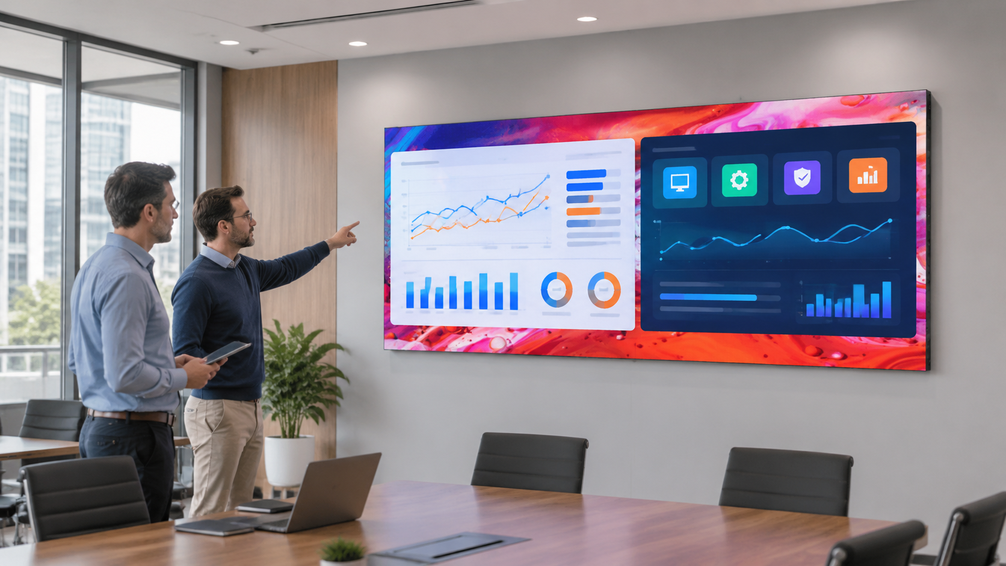
For meeting rooms with limited wall space, BIM Plus-X P1.9 can display more information at native resolution within the same screen dimensions.
Recommended Pixel Pitch for Indoor, Outdoor, and Rental LED Displays
| Application | Suggested Pixel Pitch | Viewing Conditions | Esdlumen Series |
|---|---|---|---|
| Meeting rooms and control rooms | P1.5–P1.9 | Close viewing of small text and dense information | BIM Plus-X |
| Retail stores and showrooms | P1.9–P2.6 | Mixed viewing positions for product imagery and signage | BIM Plus-X |
| Stage and event rental | P2.6–P3.9 | Video-led displays for audiences across larger spaces | Pilot Pro |
| Pedestrian-facing outdoor displays | P2.6–P4.8 | Promotional content viewed from nearby public areas | MPA Pro II |
| Long-distance outdoor billboards | Project-dependent | Large visuals intended for longer sight lines | Project-dependent |
Pixel pitch choices can vary even within the same type of application. In our GUESS retail project, BIM Plus-X P1.9 and P2.6 displays were installed across more than 50 stores in the United States and Canada, covering over 400 m². Having both pitches in one indoor display series gives retailers flexibility to accommodate different screen configurations across their locations.
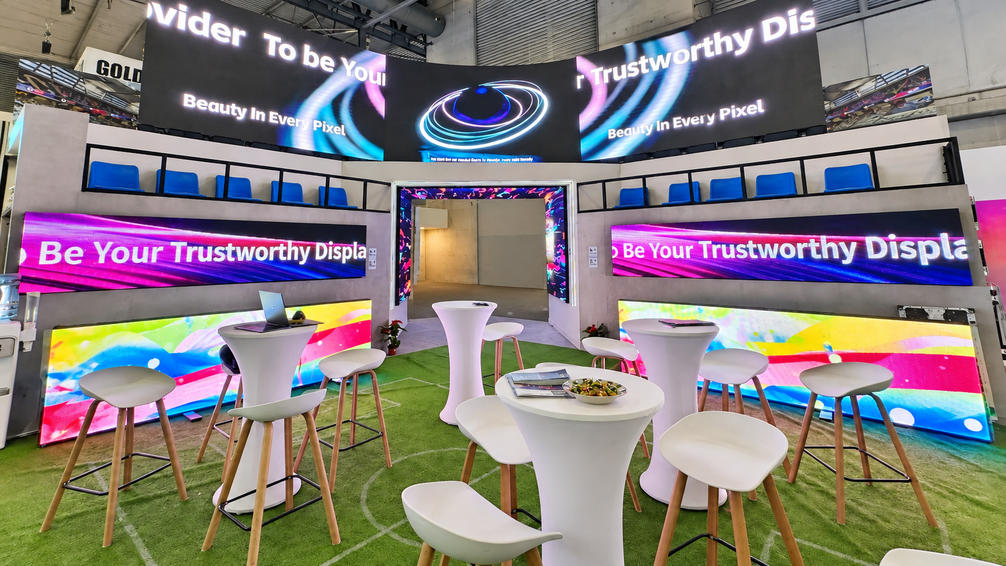
A 106 m² LED wall using our Pilot Pro P2.6 was installed for live stage performances in the United States. Together, these projects show two sides of pixel pitch selection: one retail display program can use multiple pitches, and the same P2.6 pitch can appear in both retail and stage applications. The screen's actual viewing requirements matter more than its application label.
When Does a Smaller Pixel Pitch Make a Visible Difference?
A smaller pixel pitch makes a visible difference when the screen's extra resolution improves details that viewers need to read or recognize. This is most noticeable with compact text, fine graphics, or several information sources displayed together at close range.
For example, a meeting-room screen showing multiple charts can benefit from a finer pitch when people need to read small labels from their seats. A large stage screen showing full-screen video may look similar with a wider pitch because the audience sees the image from farther away.
For indoor projects comparing BIM Plus-X pixel pitches, our team can help match available cabinet configurations to your screen dimensions, viewing distance, and content requirements. This gives you a clearer comparison of achievable native resolutions and project pricing.
Frequently Asked Questions
Does Pixel Pitch Determine 4K Resolution?
No. Pixel pitch describes the spacing between pixels, while the native resolution depends on the total number of pixels across the finished LED wall. A 4K UHD display requires 3,840 × 2,160 physical pixels. Smaller pixel pitches can achieve this resolution within a smaller display area.
Can Two LED Walls with the Same Pixel Pitch Have Different Resolutions?
Yes. Two LED walls can use the same pixel pitch and still have different native resolutions if their screen sizes differ. For example, adding more P2.6 cabinets increases the total pixel count while keeping the pixel spacing unchanged.
Conclusion
A good pixel pitch choice should lead to a display configuration that works for the actual project. Once the viewing conditions and content requirements are clear, comparing the achievable resolution at the planned screen size helps narrow down the options. The result is a more practical LED wall specification that fits both the installation space and the audience's viewing needs.
At Esdlumen, we can help turn these requirements into a workable LED display configuration. Our team can compare suitable pixel pitch options, cabinet layouts, and achievable resolutions for your project. If you have an installation in mind, we'd be happy to discuss the details through our project consultation team.


